 mosaïque
FR
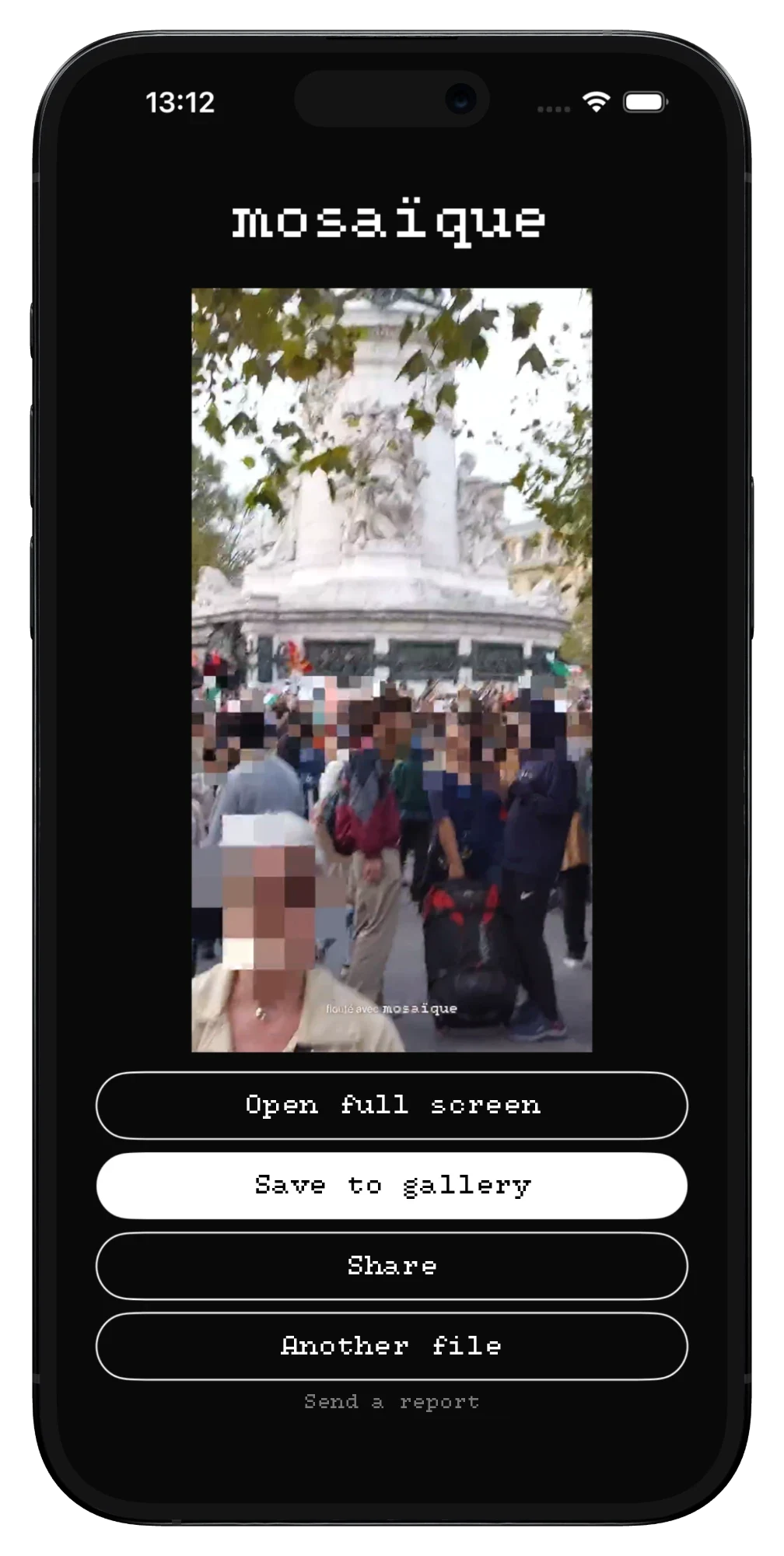
Blur the faces in your videos and photos
In 10 seconds
100% offline
Everything stays on the device
Version 1.0.0 · SHA-256: 6bd9797bcec301d2f518c9a40c28d44fc14d42632b54029513b2b64a0aaf4577
Before installing an APK downloaded from the internet, it is a good idea to check with a tool like VirusTotal that the app is not malicious.
Key points
Automatic
Faces are detected and blurred with no settings and no manual selection.
Offline
All processing happens on the device. No connection is used.
Fast
A 30 s video is processed in 10 s on a recent phone.
How it works
Choose
Open mosaïque and tap “Blur a video” or “Blur photos”. Select part of the video if needed.
Blur
Faces are found and covered with a mosaic, frame by frame, in a few seconds.
Share
The result is saved to the gallery. You can check it full screen, then share it directly.
Blur photos →
Privacy
The app works without internet and contains no networking code. On Android, the network permission is even removed: it cannot send anything.
No data is collected: no photos, no videos, no usage statistics, no identifiers. Your media never leave the phone.
Check it yourself →Privacy policy →
Technology
A head detection model built to run on phones, quantized to INT8 and executed locally. It was trained on open data:
- Open Images V7 (Google): images CC BY 2.0, annotations CC BY 4.0
- MIAP (Open Images Extended): CC BY 4.0
- Wikimedia Commons: CC0 and CC BY images
FAQ
Is the app free?
Yes, and it will stay free. Videos from the free version carry a small “blurred with mosaïque” mark. A paid version with advanced features for journalists is planned.
Which phones are supported?
Android 8 or later, iOS and iPadOS 17.6 or later.
Are all faces detected?
The model blurs heads, not just faces, to better cover people seen from the side or from behind. Very few faces are missed, but it can happen: check the result before sharing it.
What isn’t blurred?
Only heads are covered. Sound is kept, including voices, and clothing, tattoos, license plates or places remain visible. Blurring entire silhouettes is in development.
Can it process several files?
Several photos at once, yes. Videos are processed one at a time.
How can I check that nothing is sent?
Turn on airplane mode: everything still works. Other checks are described here.